Sinking Funds Tracker Spreadsheet (Google Sheets & Excel)
Save a little every month for the big costs you can see coming. Up to 12 funds, monthly contributions, progress bars and totals.
$6Buy on Gumroad – instant download
What is a sinking fund?
A sinking fund is money you set aside every month for a cost you know is coming, so it doesn't land on a credit card. It's different from an emergency fund, which is for things you can't predict.
Example: car insurance of $600 due in 6 months → put $100 a month into the "car insurance" fund. When the bill arrives, the money is already there.
Common sinking funds: car repairs and registration, insurance premiums, holidays and gifts, vacation, medical and dental, home maintenance, pet costs, annual subscriptions, back-to-school.
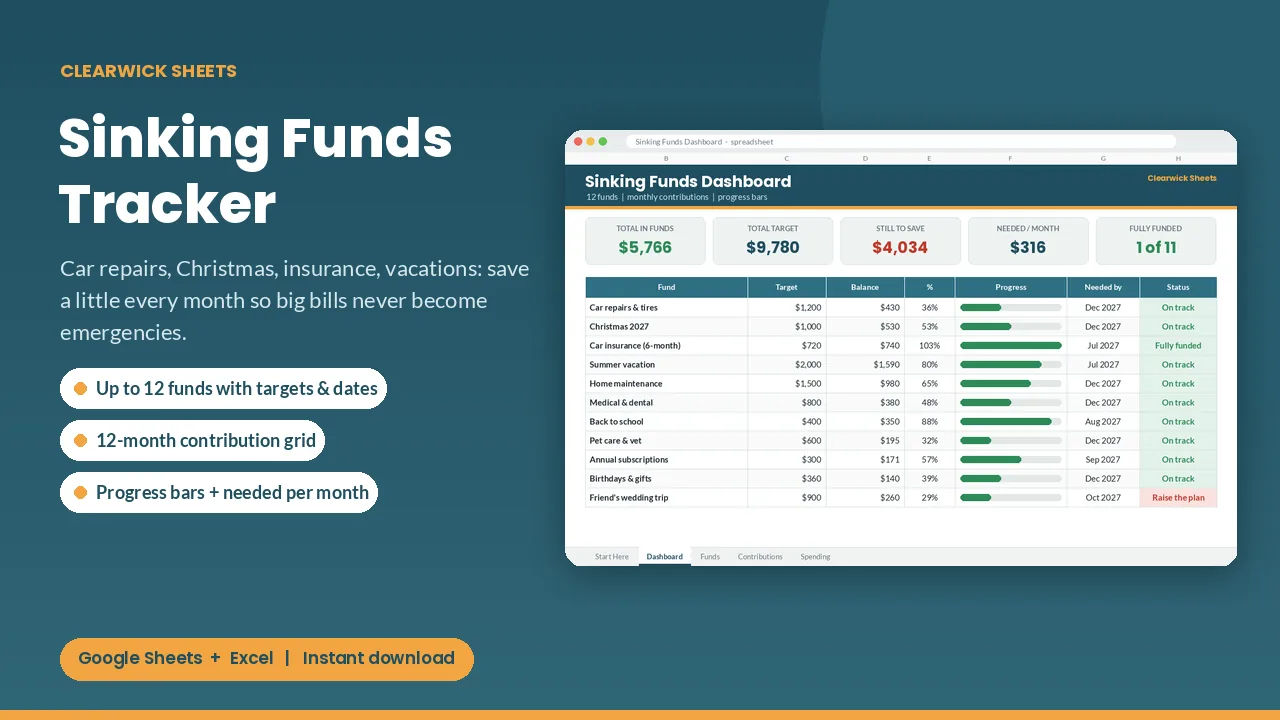
The tracker handles up to 12 funds with a monthly contribution for each, progress bars and totals, so you can keep them all in one savings account and still know what each dollar is for.
What you get and how to use it
Car repairs, Christmas, insurance renewals, vacations: you know they're coming. A sinking fund turns each one into a small monthly amount, so it never lands as an "emergency" on your credit card.
What's inside
- Dashboard: total in your funds, total target, still to save, added this year, spent from funds, funds fully funded, and the total needed per month vs what you planned
- Per fund: target, added, spent, balance, %, progress bar, date needed, months left, planned per month, needed per month and a status (On track, Fully funded, Raise the plan, Past date)
- Funds tab: up to 12 funds with target, date needed, starting balance and planned monthly amount
- Contributions grid: 12 funds × 12 months with row and month totals
- Spending log: 200 rows to record money you take out of a fund, so balances stay honest
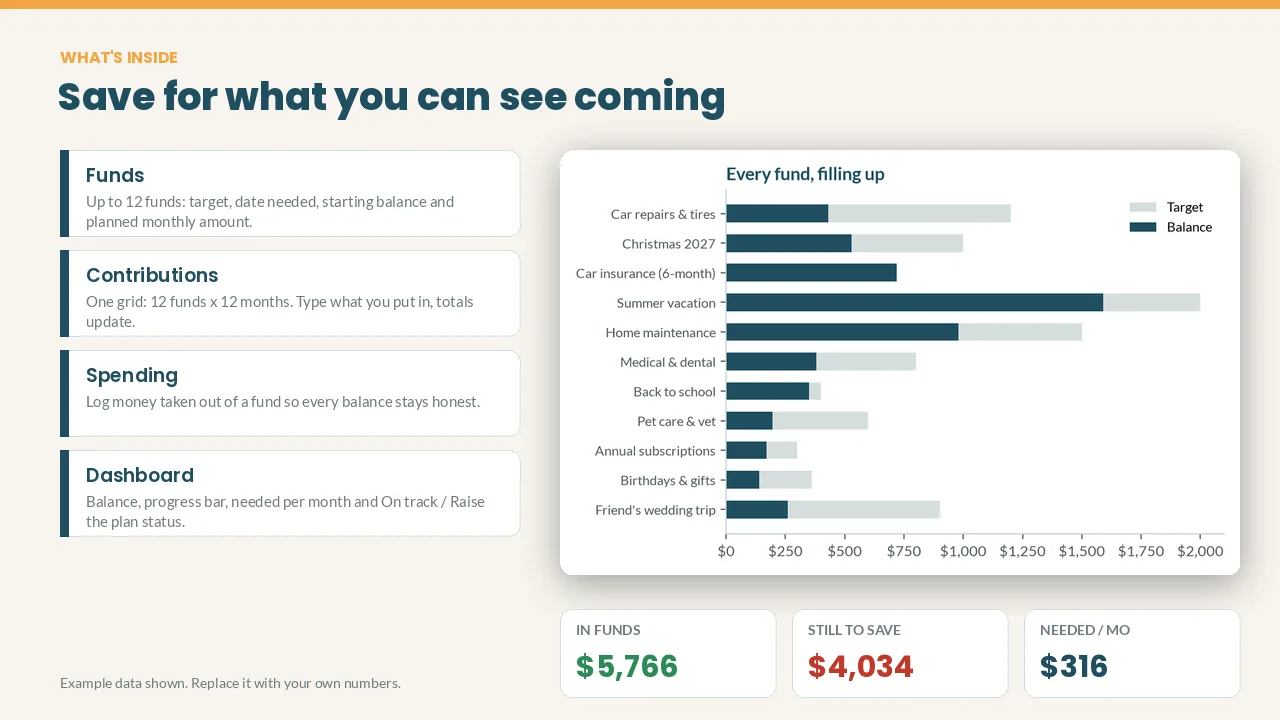
- Balance vs target chart
How it works
- List your funds, targets and dates.
- Each month, type what you put into each fund.
- When you use a fund, log it. The dashboard shows where you stand.
Cream cells are for your inputs; everything else calculates itself. The example data (fictional) shows you how it works and can be cleared in a minute.
Works with: Google Sheets (free) and Microsoft Excel 2016 or newer / Excel 365. Not tested on Apple Numbers.
Format: 1 × .xlsx file, delivered instantly. To use it in Google Sheets: upload it to Google Drive, open it, then File > Save as Google Sheets.
Currency: shown in $. You can switch it to £, € or any currency with Format > Number.
FAQ
- What's the difference from the Savings Goal Tracker? Sinking funds are for costs you will spend (and refill), so this one has a monthly contribution grid and a spending log.
- Do I need 12 bank accounts? No. Most people keep one savings account and use this sheet to know how much of it belongs to each fund.
- Is this financial advice? No. It's an organizing tool that does the math for you.
- Refunds: Because it's a digital download, contact me first if anything doesn't work and I'll fix it or refund you.
For personal use. Please don't resell or share the file.
Get the Sinking Funds Tracker – $6
How this was made: designed by Clearwick Sheets with AI-assisted tools; every formula was tested in Google Sheets before release. Example data in the screenshots is fictional. This is an organizing tool, not financial advice.