Monthly Budget Planner Spreadsheet for Google Sheets & Excel
A clean monthly budget spreadsheet: log transactions, pick a month, and see budget vs actual, savings rate and charts instantly.
$7Buy on Gumroad – instant download
How to make a monthly budget in Google Sheets (in 15 minutes)
- Start from take-home pay, not salary. Use what actually lands in your account each month. If your pay varies, use your lowest month of the last six.
- List fixed costs first: rent or mortgage, utilities, insurance, phone, minimum debt payments, subscriptions.
- Give flexible costs a limit: groceries, eating out, fuel, shopping. Look at last month's bank statement for a realistic number.
- Pay yourself a line: savings and extra debt payments get their own category, so they're not "whatever is left".
- Log every transaction for one month. Budget vs actual only works with real numbers. Most people find 2–3 categories where they overspend by 20% or more.
- Adjust once a month, not every day. Move money between categories, then keep going.
The planner does steps 4–6 for you: each transaction you log updates budget vs actual, your savings rate and the charts for the month you pick.
What you get and how to use it
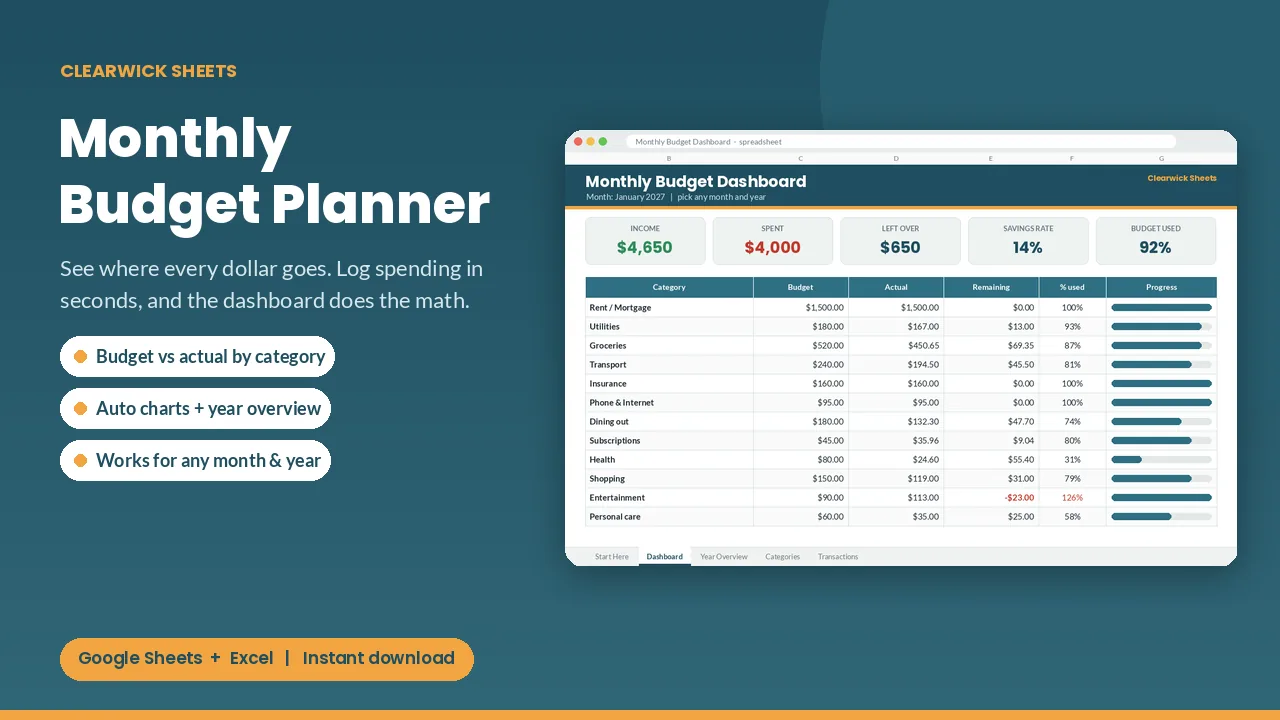
Stop guessing where your money went. Log a transaction in 5 seconds, and the dashboard tells you exactly how your month is going.
What's inside
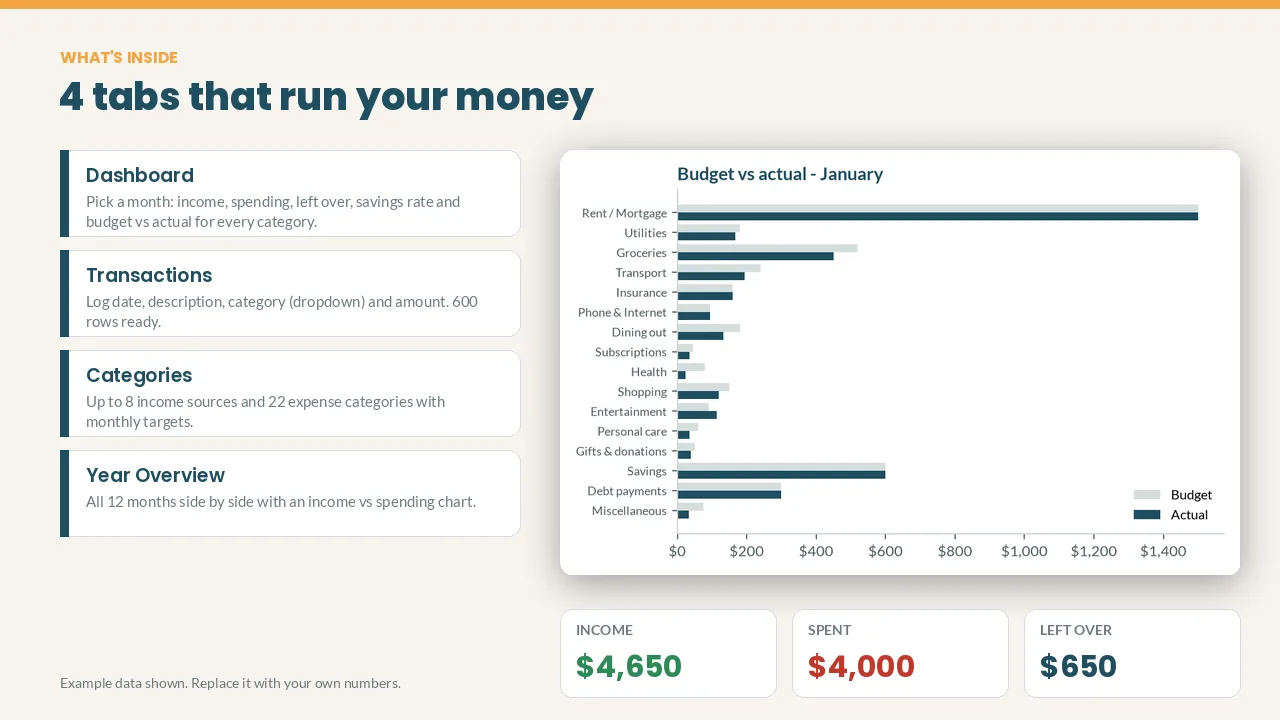
- Dashboard: pick any month and year to see income, spending, money left over, savings rate and % of budget used
- Budget vs actual for up to 22 expense categories and 8 income sources, with progress bars and red alerts when you overspend
- Transactions log: 600 ready rows, category dropdowns, and income/expense detected automatically
- Year Overview: all 12 months side by side with an income vs spending chart
- Two charts that update themselves: budget vs actual, and where the money went
- Start Here tab with 2-minute setup instructions
How it works
- Name your categories and set monthly amounts on the Categories tab.
- Log what you earn and spend on the Transactions tab.
- Open the Dashboard and pick the month.
Cream cells are for your inputs; everything else calculates itself. The example data shows you how it works, and you can clear it in a minute.
Works with: Google Sheets (free) and Microsoft Excel 2016 or newer / Excel 365. Not tested on Apple Numbers.
Format: 1 × .xlsx file, delivered instantly. To use it in Google Sheets: upload it to Google Drive, open it, then File > Save as Google Sheets.
Currency: shown in $. You can switch it to £, € or any currency with Format > Number.
FAQ
- Do I need a paid app? No. A free Google account is enough.
- Can I edit categories? Yes. Every name and colour can be changed.
- Is this financial advice? No. It's an organizing tool that does the math for you.
- Refunds: Because it's a digital download, contact me first if anything doesn't work and I'll fix it or refund you.
For personal use. Please don't resell or share the file.
Get the Monthly Budget Planner – $7
How this was made: designed by Clearwick Sheets with AI-assisted tools; every formula was tested in Google Sheets before release. Example data in the screenshots is fictional. This is an organizing tool, not financial advice.