Christmas & Holiday Gift Budget Planner 2026 (Spreadsheet)
Set one holiday spending limit, plan every gift, track food, travel and decor, and watch the countdown to Christmas.
$5Buy on Gumroad – instant download
How to set a Christmas budget (and stick to it)
- Pick one total number for the season before Black Friday, based on cash you have or will have by mid-December, not on credit.
- Split it: gifts, food and holiday meals, travel, decor, cards and postage, wrapping, parties, charity. Non-gift costs are where most holiday budgets break.
- Give every person a gift budget and write the idea down early, so sales don't decide for you.
- Track as you buy and mark gifts as ordered, bought, wrapped, given.
- Set shipping deadlines so you don't pay for express delivery in the last week.
The planner has a countdown to Black Friday, Cyber Monday and Christmas, a 60-person gift list and a dashboard showing how much of your limit is left.
What you get and how to use it
Enjoy the holidays without the January credit card shock. Pick one spending limit for the whole season, give every person and every holiday cost a budget, and see at a glance how much is left.
What's inside
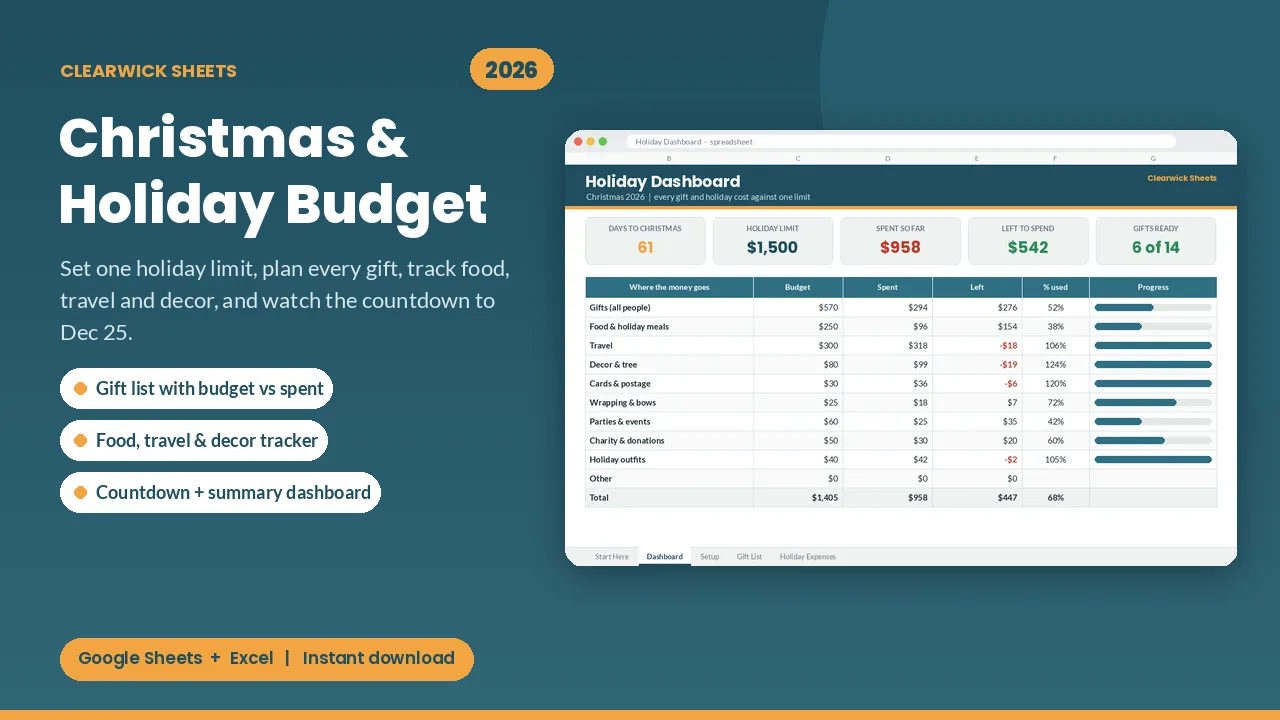
- Dashboard: days to Christmas, your holiday limit, spent so far, left to spend, gifts ready (e.g. "6 of 14") and % of your limit used
- Where the money goes: gifts plus every holiday category with budget, spent, left and a progress bar. Overspending turns red.
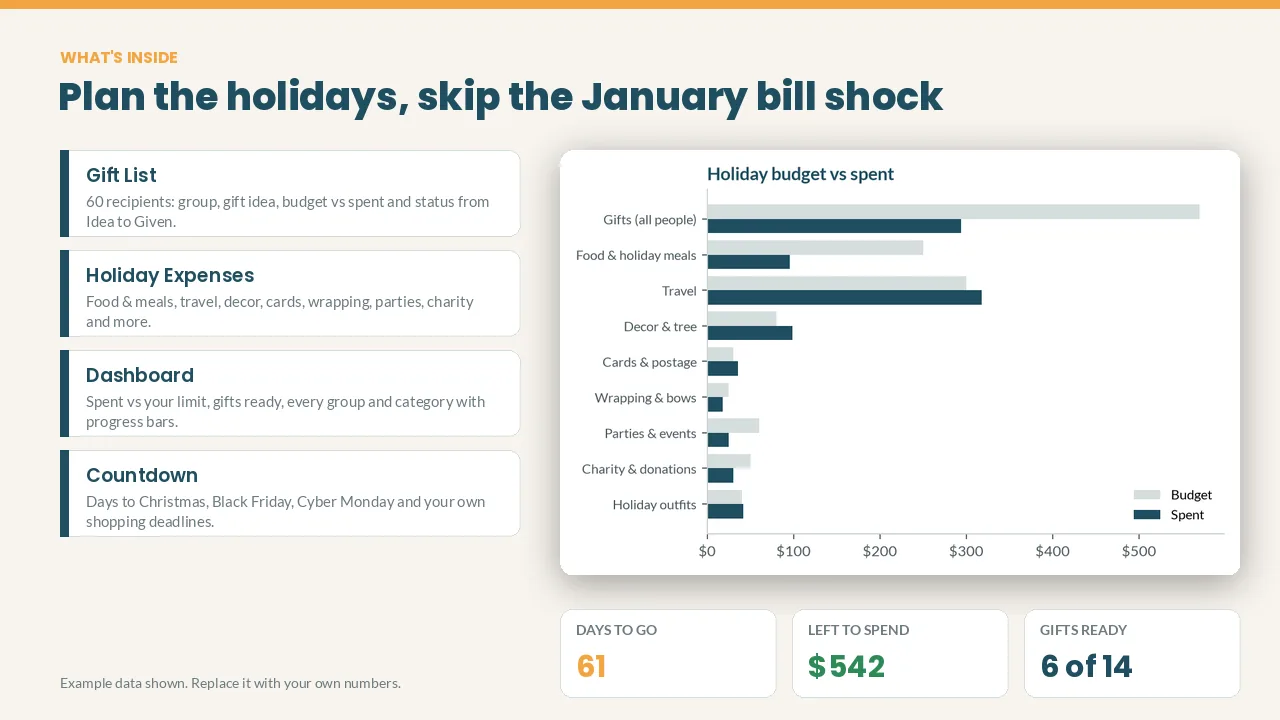
- Gift List: 60 recipients with group (Family, Kids, Friends, Work...), gift idea, budget, spent, left, status (Idea, Ordered, Bought, Wrapped, Given) and notes
- Holiday Expenses: 150-row log for food & holiday meals, travel, decor & tree, cards & postage, wrapping, parties, charity, outfits and more
- Countdown: days left to Black Friday, Cyber Monday, your online-order deadline, your wrapping day and Christmas, all editable
- Plan check: tells you whether your plan fits your limit, and by how much
- Budget vs spent chart
How it works
- Set your overall limit and category budgets on the Setup tab.
- Add the people you're buying for, with a budget for each.
- Log what you spend. The dashboard updates by itself.
Cream cells are for your inputs; everything else calculates itself. The example data (fictional names and amounts) shows you how it works; replace it in a few minutes.
Works with: Google Sheets (free) and Microsoft Excel 2016 or newer / Excel 365. Not tested on Apple Numbers.
Format: 1 × .xlsx file, delivered instantly. To use it in Google Sheets: upload it to Google Drive, open it, then File > Save as Google Sheets.
Currency: shown in $. You can switch it to £, € or any currency with Format > Number.
FAQ
- Only for Christmas? Change the date on the Setup tab and use it for Hanukkah, Kwanzaa, Eid or a birthday season.
- Can I rename the groups and categories? Yes, all of them.
- Is this financial advice? No. It's an organizing tool that does the math for you.
- Refunds: Because it's a digital download, contact me first if anything doesn't work and I'll fix it or refund you.
For personal use. Please don't resell or share the file.
Get the Christmas Gift Budget Planner 2026 – $5
How this was made: designed by Clearwick Sheets with AI-assisted tools; every formula was tested in Google Sheets before release. Example data in the screenshots is fictional. This is an organizing tool, not financial advice.